How to Build a DCF in 60 Seconds with PickSkill
Open a chat, paste one prompt, get a sourced 5-year DCF in Excel — every input linked, every assumption editable. Works on US, HK, A-share tickers.
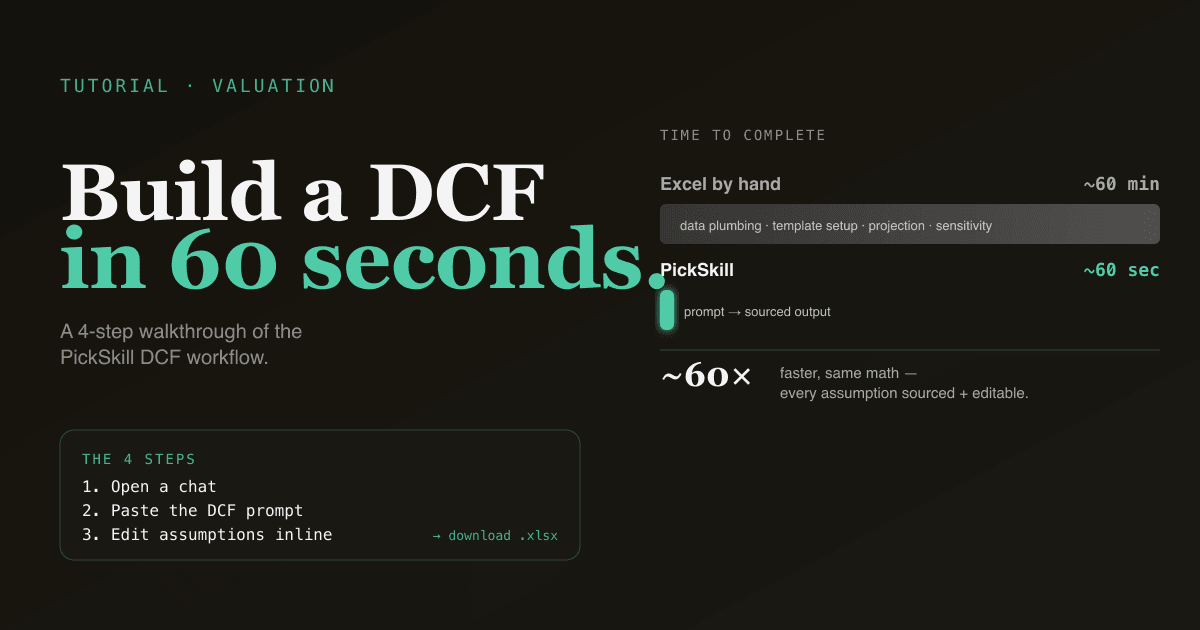
A DCF in Excel is a one-hour exercise: pull four 10-Ks, copy in the line items, project five years, estimate a WACC, compute the terminal value, build a sensitivity table. This tutorial shows the same workflow in 60 seconds with PickSkill — every input sourced, every line item linked back to the filing, and the Excel ready to download at the end. The math is identical to what you'd build by hand; what changes is the time you spend on data gathering versus the time you spend on the judgement calls that actually move the answer.
This is a 4-step tutorial. Each step is one prompt or one click. If you've read What Is DCF? you already know the framework — this guide just walks you through the product.
Key takeaways
- Four steps, ~60 seconds. Open a chat, paste the prompt, edit any assumption inline, download the Excel.
- Every input is sourced. Risk-free rate from the current Treasury curve; ERP and industry beta from Damodaran's quarterly dataset; FCF history from the company's last four 10-Q/10-K filings on SEC EDGAR.
- Every assumption is editable. Override revenue growth, terminal EBIT margin, WACC, or the terminal-value method in the same chat — PickSkill re-runs the model live.
- Works on US, Hong Kong, and A-share tickers. PickSkill pulls the right filing set per market.
- The output is a real
.xlsxfile — not a screenshot. Open it in Excel, share it with your team, or paste it into your own deck.
Why this matters
The reason most retail investors don't build DCFs isn't conceptual difficulty — it's friction. By the time you've found the latest 10-K, downloaded the supplemental data, and built the projection sheet, you've spent an hour before touching a single judgement call. PickSkill compresses that hour into seconds so you can spend your time where it matters: on the four assumptions that actually move valuation (revenue growth, terminal margin, WACC, terminal value — see What Is DCF? for the framework).
A reasonable rule: if a DCF is going to determine whether you act on a position, the assumptions deserve at least 20 minutes of thought. Spending 60 minutes on data plumbing isn't an investment in quality — it's a tax. This tutorial removes the tax.
The 4-step workflow
Step 1 — Open a chat
Go to /chat. If you're not signed in, sign-in is one click — free to try, no credit card.
Step 2 — Ask for the DCF
Paste this prompt (replace the ticker with whatever you're researching):
Build a 5-year DCF for NVDA in Excel.
Include: assumptions sheet, 5-year FCF projection, WACC with sensitivity,
and a valuation summary with the implied per-share price.
Show me the four inputs I should pay attention to.
That's the whole input. No ticker setup, no template selection, no field-by-field form.
Step 3 — Wait ~30 seconds while PickSkill works
PickSkill does, in order:
- Pulls the most recent 10-K plus the trailing four 10-Qs from SEC EDGAR (or HKEx / Cninfo for HK / A-share names).
- Extracts the income statement, cash flow statement, and balance sheet line items.
- Computes historical FCF (OCF − Capex) for the last four fiscal years.
- Pulls the current 10-year Treasury yield for the risk-free rate.
- Pulls Damodaran's most recent industry ERP and industry beta for the company's sector.
- Builds the WACC.
- Projects the next five years using historical growth rates as a default starting point.
- Computes the terminal value with both Gordon Growth and exit-multiple methods.
- Writes the result into a
.xlsxfile with formula links between sheets.
You'll see a streaming summary of the work as it happens, with each fetched filing linked. When it's done, you'll have a download link valid for 7 days, plus an in-chat walk-through of the four assumptions.
Step 4 — Edit any assumption, re-run live
This is where you start doing real work. Each of the four DCF-moving assumptions is editable inline:
Push terminal EBIT margin to 38% and re-run the sensitivity table.
Use the implied ERP (4.2%) instead of the historical one and show me the
new WACC plus how it changes the implied price.
Stress-test revenue growth — drop years 4 and 5 to 10% and show me the
downside case.
PickSkill re-runs the same Excel template with the new inputs and gives you the diff. No re-uploading, no template hell.
Try it now. Open a chat and paste the prompt from Step 2. The whole loop is under a minute.
What the output looks like
The downloaded .xlsx contains four sheets:
| Sheet | Contents |
|---|---|
| Assumptions | Revenue growth (Y1–Y5), EBIT margin trajectory, tax rate, capex / revenue, working-capital change, WACC inputs, terminal-value method. Each cell has a source note. |
| Projection | Year-by-year revenue, EBIT, NOPAT, capex, NWC change, FCF, discounted FCF. Formulas link back to Assumptions. |
| Sensitivity | A (WACC, terminal growth) grid showing implied per-share price across ±150 bp on WACC and ±100 bp on terminal growth. Base-case cell highlighted. |
| Summary | Headline conclusion — implied share price (base, low, high) vs. current; the four assumptions inline; a link back to the prompt that generated the file. |
Open it in Excel or Google Sheets. The formulas are live; you can override anything and the projection updates.
Common follow-up prompts
Once you have the base case, these prompts move the needle:
- "Add a fifth year of detail — show me the path from current revenue to year-5 revenue, broken down by segment."
- "Run a reverse DCF — what revenue growth does the current share price imply?"
- "Compare my DCF to consensus. Where are my assumptions tighter / looser than the sell-side average?"
- "Convert this DCF into a one-pager I can hand to a non-technical reader. Include the bull/bear/base case with one sentence each."
- "Now do the same DCF for AMD and put both on one sheet so I can compare."
Each of these triggers a single re-run; the Excel is regenerated with the new content.
What you can't do in 60 seconds
Honest caveats:
- Custom segment forecasts that require you to model unit economics (price × volume × geography by product line) usually take more than 60 seconds. PickSkill can do this — it'll just take 3–5 minutes of back-and-forth as you describe the segmentation.
- Synergy-heavy M&A DCFs that need a deal model alongside the standalone DCF require uploading the deal terms; the standalone parts are 60 seconds, the deal logic is its own conversation.
- Names with no recent filings (recent IPO, foreign private issuer with US listing) may have a thinner default historical series. PickSkill will tell you when this is the case and offer to use estimates.
- Decisions worth more than the model. A DCF is a framework, not an oracle. Use this tutorial to remove plumbing friction, not to outsource the judgement.
FAQ
Do I need to upload any data? No. PickSkill pulls everything from public sources (SEC EDGAR for US, HKEx for Hong Kong, Cninfo for A-shares) plus market-data feeds. Upload is only relevant if you want to overlay your own private model or notes.
How accurate are the default assumptions? The defaults are sourced and intentionally neutral — they're meant to be a starting point, not a final answer. Revenue growth defaults to the trailing 3-year CAGR; terminal EBIT margin defaults to the trailing 3-year average; WACC pulls live from Damodaran's industry tables. The whole point of step 4 is to override the defaults with your own view.
Can I save the DCF and come back to it later? Yes — the chat session persists. Re-open the conversation and ask "re-run the DCF with the updated 10-Q I just saw" and PickSkill picks up where you left off, with the new filing baked in.
Does this work on Hong Kong and A-share names?
Yes. PickSkill recognises HKEx tickers (e.g. 9988.HK, 0700.HK) and A-share tickers (600519.SS, 000333.SZ) and pulls the right filings (annual / interim / quarterly per market). For A-shares, the default risk-free rate is the 10-year CGB; for HKEx, it's the 10-year Treasury (most HKEx names price off the dollar curve in practice).
What about consensus comparison? Add "…and compare each input to consensus estimates" to the original prompt. PickSkill pulls consensus from market-data feeds and shows you which assumptions are at, above, or below sell-side mean. The bridge between your view and consensus is where most of the alpha — and most of the risk — lives.
Where do I learn the DCF framework itself? Start with What Is DCF? for the absolute-valuation framework, What Is WACC? for the discount rate that quietly decides everything, and What Is Free Cash Flow? for the cash flow projection layer. For the 10-K filings that supply the inputs, How to Read a 10-K in 30 Minutes is the companion guide. This tutorial assumes those frameworks; it doesn't replace them.